Security, privacy & data handling
BOB handles real conversations with your customers, so how your data is stored and who can see it matters as much as what BOB can do. This page covers isolation, access, and deletion.
How is my data handled?
Section titled “How is my data handled?”Each BOB is fully isolated: your chats, memory, and documents are never shared with other customers. You can erase everything at any time from Settings → Delete my account, your GDPR right to be forgotten.
What does “fully isolated” mean in practice?
Section titled “What does “fully isolated” mean in practice?”Your BOB runs on its own, with its own memory and its own connected channels. Nothing you teach it, no document you upload, no conversation it has, is visible to or used by any other customer’s BOB.
How do I delete my data?
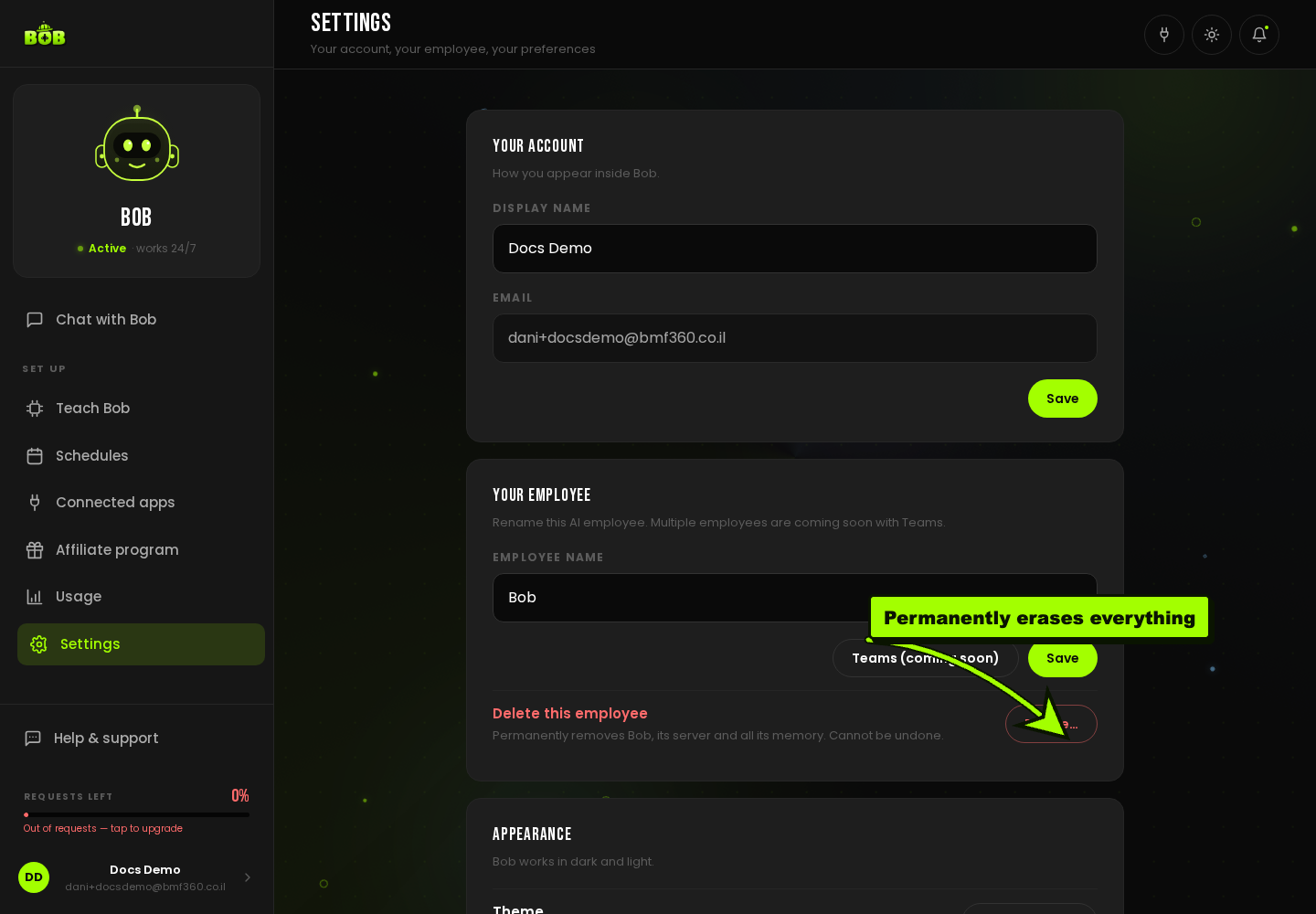
Section titled “How do I delete my data?”- Open Settings.
- Under Your employee, click Delete… next to Delete this employee.
- Confirm. This permanently removes BOB, its server, and all its memory. It cannot be undone.
Who can BOB talk to?
Section titled “Who can BOB talk to?”You control this per channel. Open Connected apps, choose a connected channel, and use its settings to decide whether BOB answers Anyone or only people you approve, and whether it replies in group chats. See Configure your AI employee for the full walkthrough.
What access does BOB have to my other tools?
Section titled “What access does BOB have to my other tools?”Only what you explicitly connect. Every integration in Connected apps is a permission you granted and can revoke at any time from the same page, disconnecting stops BOB acting in that tool immediately.