
Get a daily briefing every morning
BOB can run things on a schedule, daily briefings, weekly reports, reminders, so you start the day already knowing what needs you, instead of digging for it.
What is a daily briefing?
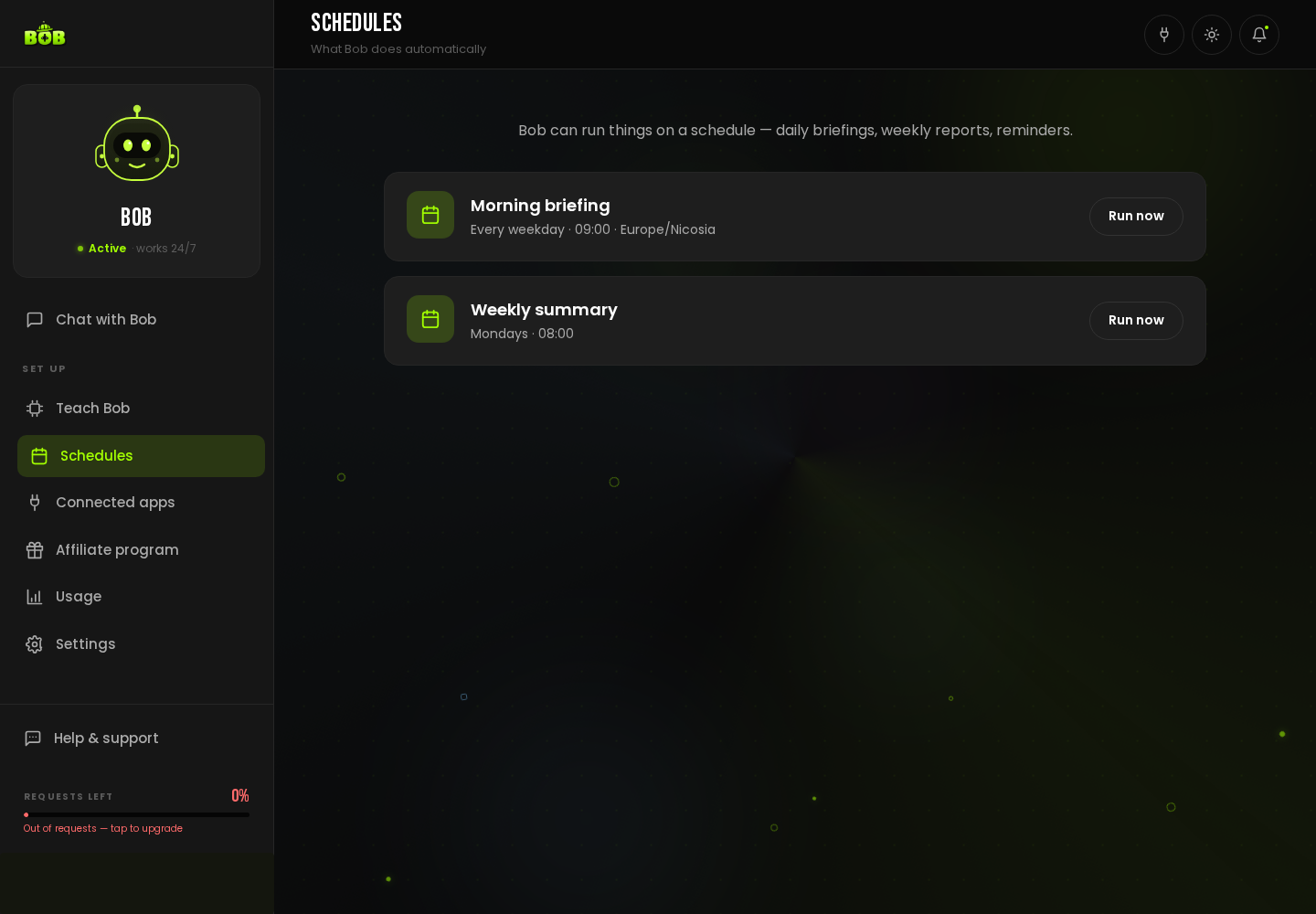
Section titled “What is a daily briefing?”A Morning briefing is a ready-made schedule that runs every weekday and messages you a short summary: what happened, what needs a decision, what is waiting on you.
How do I turn this on?
Section titled “How do I turn this on?”- Open Schedules in the sidebar.
- Find Morning briefing. Click Run now to see it immediately, or leave it on its default time.
- Tell BOB, in Chat with Bob, what you specifically want in the briefing, today’s leads, overdue follow-ups, anything on your calendar.
Can I change when it runs?
Section titled “Can I change when it runs?”Yes, tell BOB the time and days you want it, in plain language, from the chat.
What is the difference between this and the weekly summary?
Section titled “What is the difference between this and the weekly summary?”The morning briefing is a short daily pulse, every weekday. See Get a weekly report automatically for the bigger-picture Monday rollup.