Set up BOB
Getting BOB running takes a few minutes and no code. You create your account, start your free trial, tell BOB your business name, and connect a channel (WhatsApp or Telegram). Then you brief BOB in plain language, like a new hire, and it gets to work.
Step 1: Create your account
Section titled “Step 1: Create your account”Go to getbob.thelevel7.ai and sign up. New here? Click Create your account, then continue with Google, or with your email.
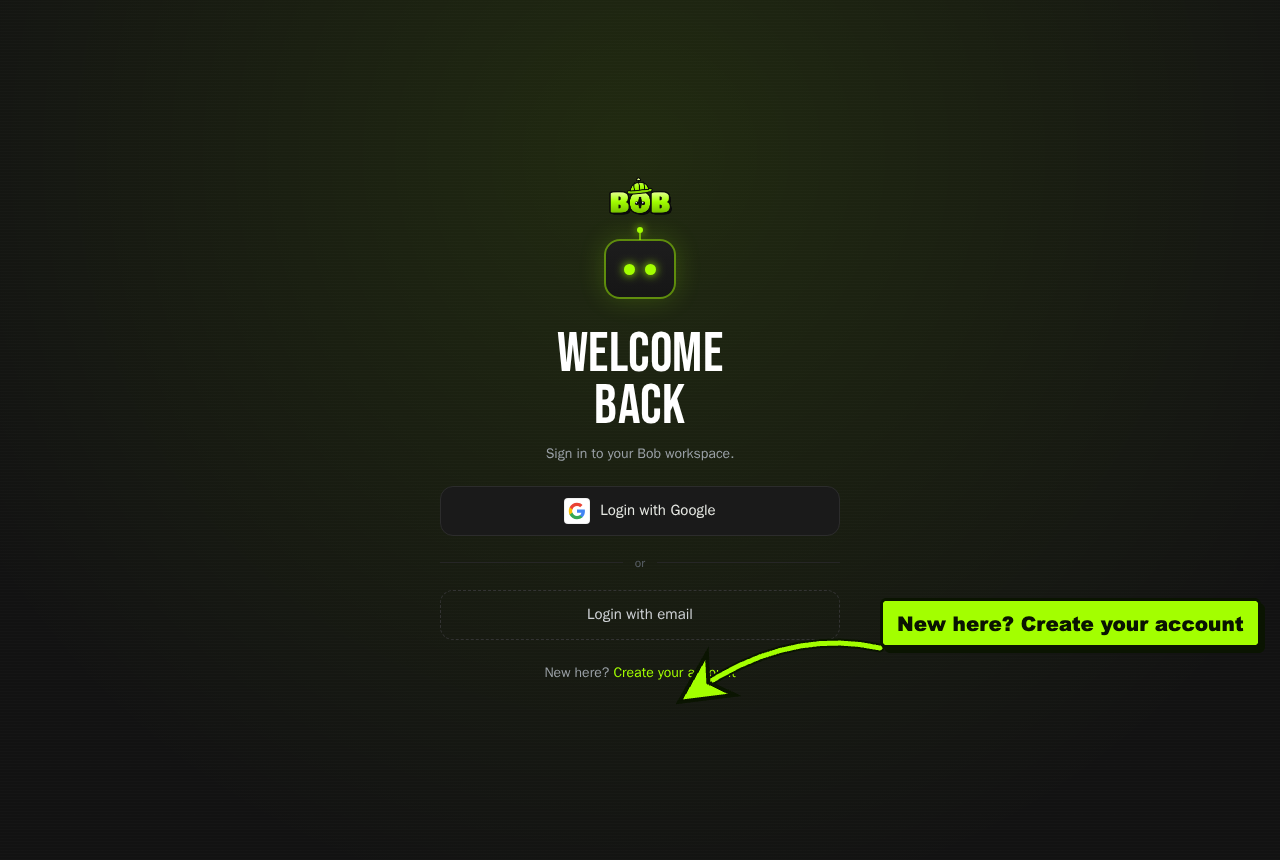
- Open getbob.thelevel7.ai.
- Click Create your account (or Login with Google if you already have one).
- Continue with Google, or choose Continue with email and enter your name, email, and a password, then agree to the terms.
- Click Create my Bob.
Step 2: Start your free trial
Section titled “Step 2: Start your free trial”Pick a plan to start your 7-day free trial. No payment is due today, and you can cancel anytime in one click.
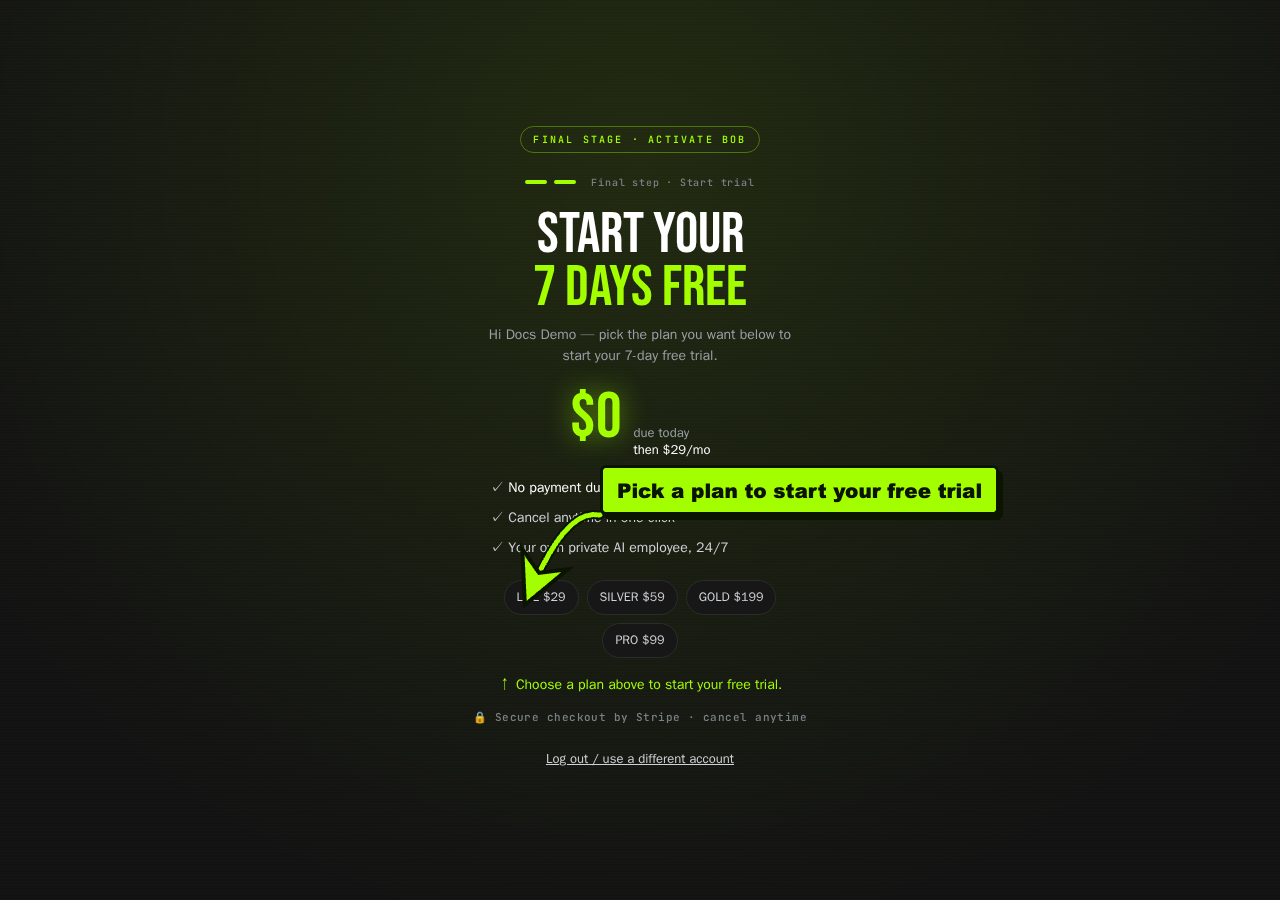
- Choose a plan: Lite, Silver, Pro, or Gold. You can change it later.
- Your 7-day free trial starts. Checkout is secured by Stripe, and nothing is charged today.
Step 3: Name your business
Section titled “Step 3: Name your business”BOB asks one question, your business name, and sets itself up around it. No long forms.
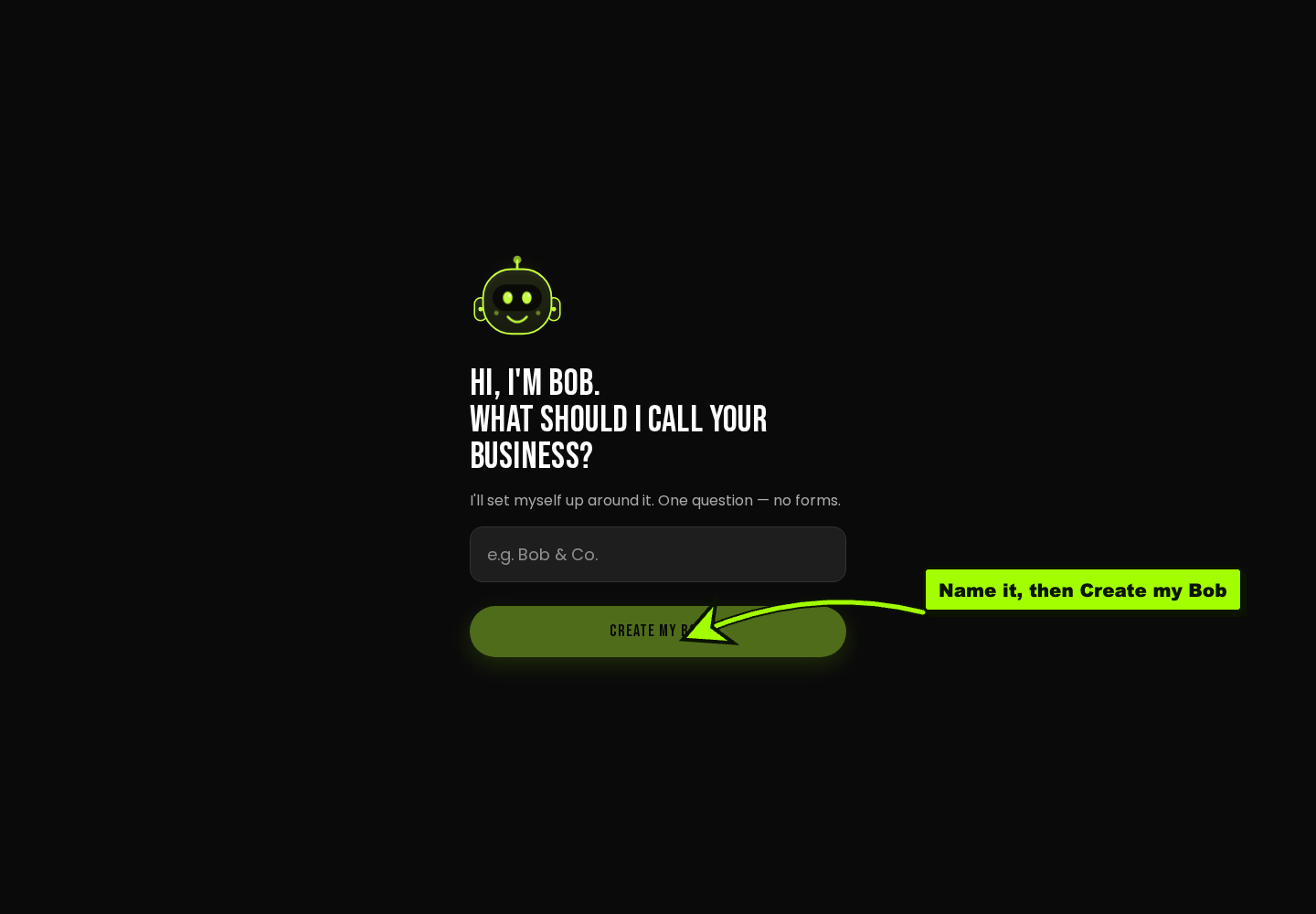
- Type your business name (for example, “Docs Demo Co”).
- Click Create my Bob. BOB sets itself up around your business.
Step 4: Meet your workspace
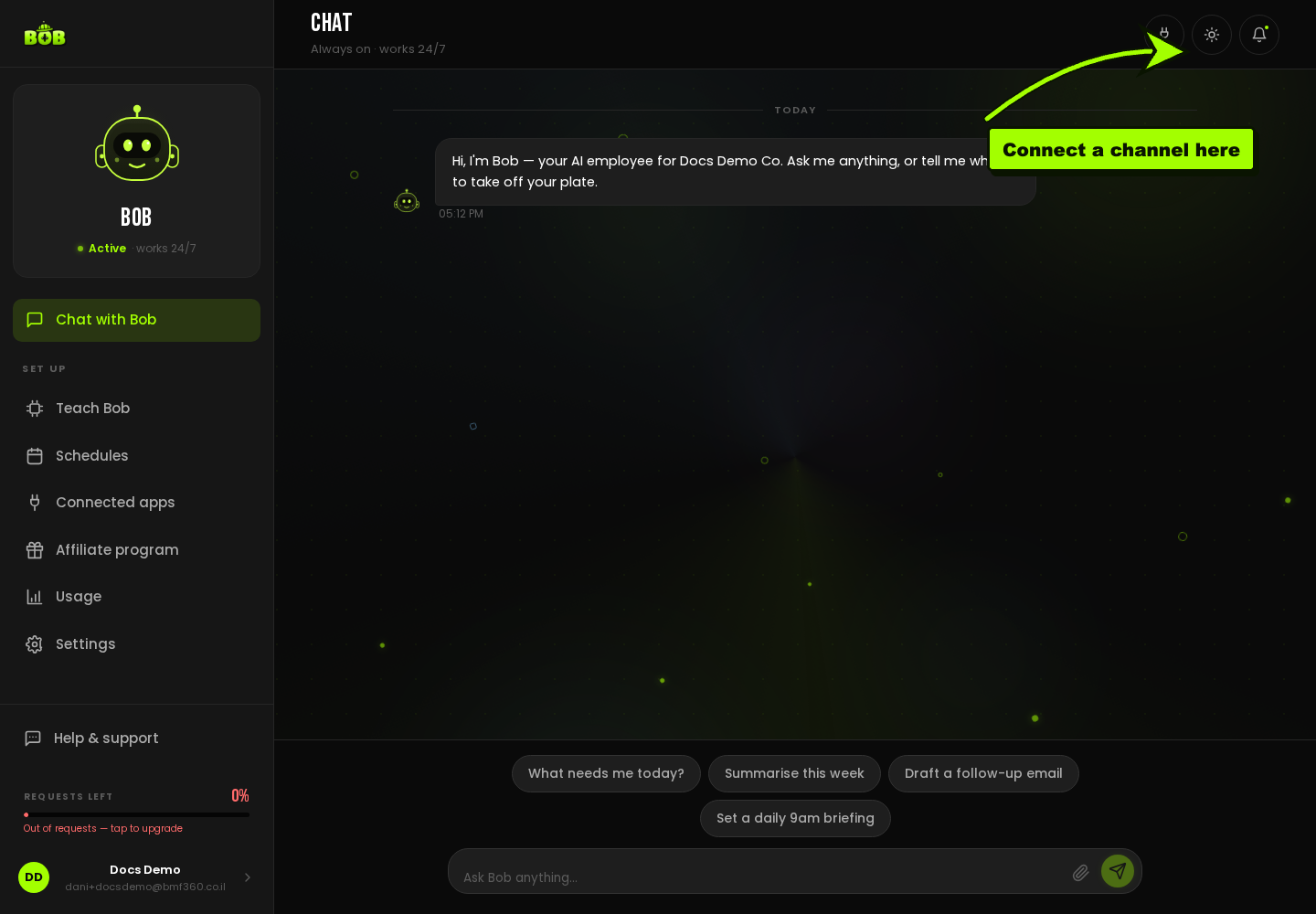
Section titled “Step 4: Meet your workspace”You land in your BOB workspace. On the left you have Chat with Bob, plus Teach Bob, Schedules, Connected apps, and Settings. BOB is active and works 24/7.
Step 5: Connect a channel
Section titled “Step 5: Connect a channel”BOB works inside WhatsApp and Telegram. Open Connected apps in the sidebar to see your channel options.
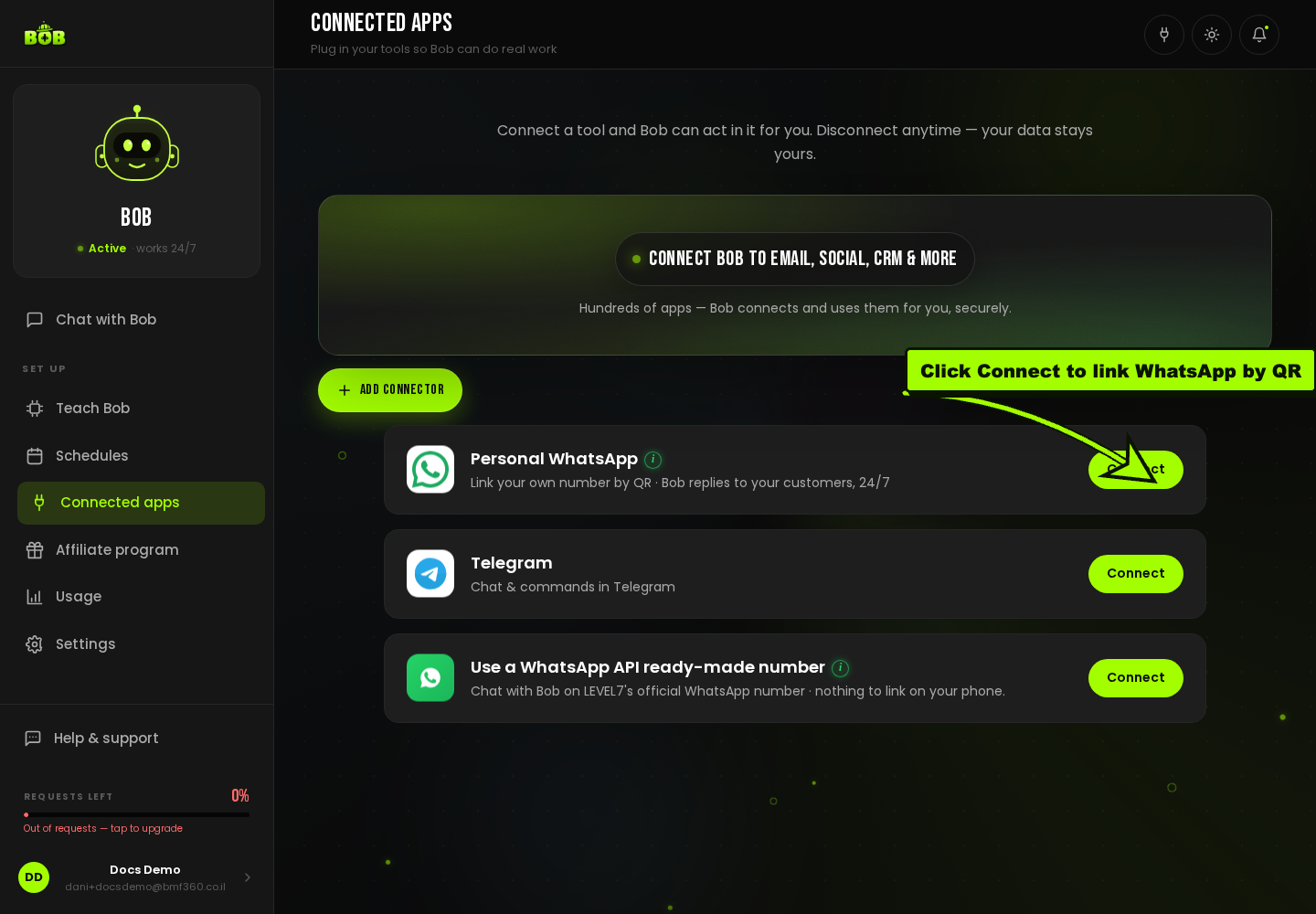
You have three ways to connect:
- Personal WhatsApp. Click Connect and link your own WhatsApp number by QR code. From then on, BOB replies to your customers on that number, 24/7.
- Telegram. Click Connect for chat and commands in Telegram.
- WhatsApp API (ready-made number). Click Connect to chat with BOB on LEVEL7’s official WhatsApp number, nothing to link on your phone. This is the fastest way to try BOB before connecting your own number.
Step 6: Give BOB its first job
Section titled “Step 6: Give BOB its first job”Tell BOB, in plain language, what you want it to do. A good first job is replying to and following up with leads. Start in assistant mode (BOB drafts, you approve), then hand it more as you build trust.
Troubleshooting
Section titled “Troubleshooting”- BOB is not replying. Open Connected apps and confirm the channel still shows Connected, and that you are within your plan’s usage for the period.
- You want to pause BOB. Tell it to stop, or disconnect the channel from Connected apps.