Connect an external API
You connect an external API to BOB so it can read and act in another system on your behalf. Most tools are one click away in the Apps tab. If your tool is not listed, or you are building against your own API, the Advanced tab connects any REST API or MCP endpoint directly, with your key encrypted and never shown in chat.
Is my app already supported?
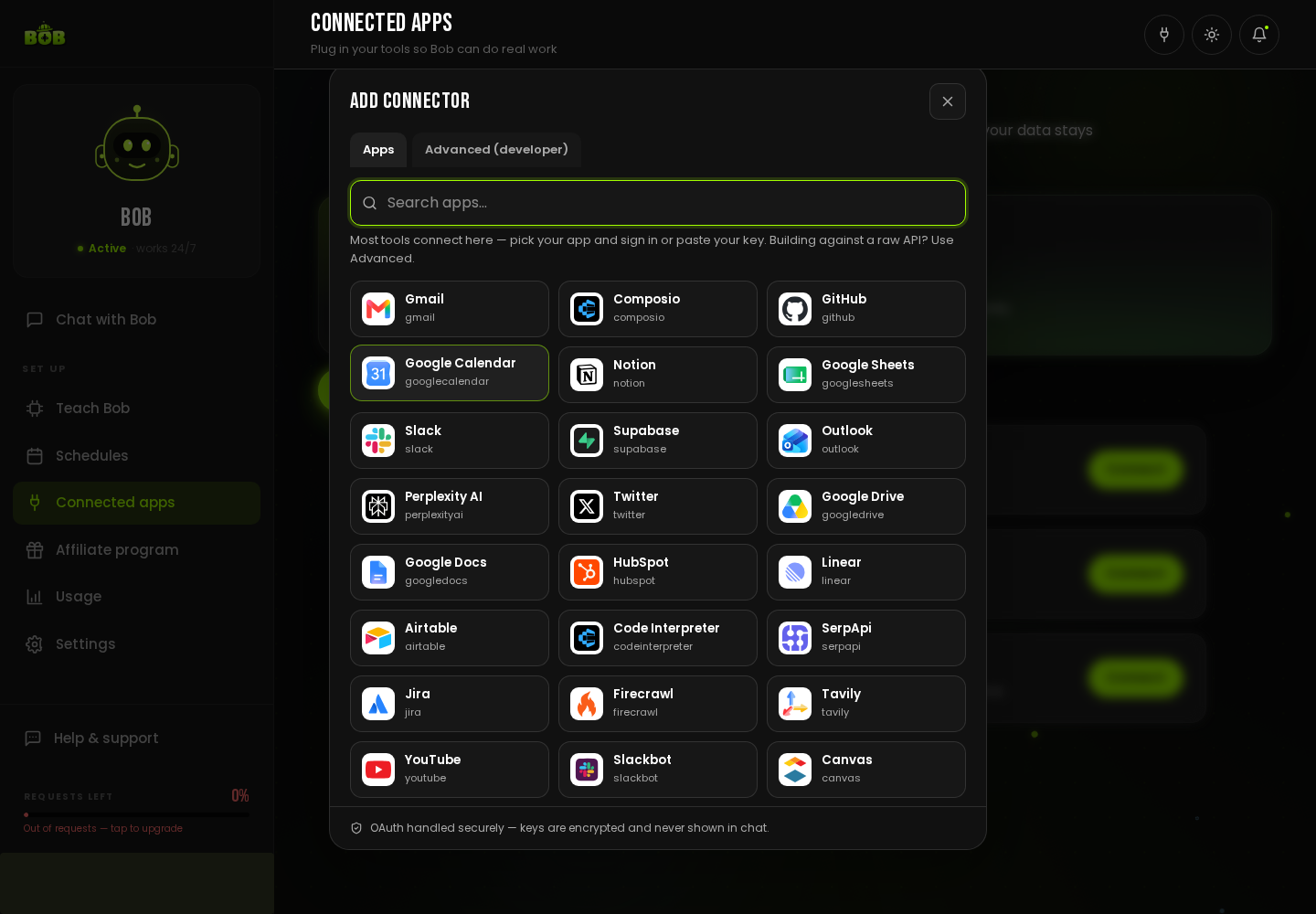
Section titled “Is my app already supported?”Open Connected apps and click Add Connector. Search the Apps tab, real, pre-built connections are already there, including Gmail, Google Calendar, Google Sheets, Google Docs, Google Drive, Outlook, Slack, Notion, HubSpot, Airtable, GitHub, Jira, Linear, Twitter, YouTube, Supabase, and more. Pick one and sign in, OAuth is handled securely.
How do I connect a custom or private API?
Section titled “How do I connect a custom or private API?”If your tool is not in the Apps tab, use Advanced (developer) → REST API:
- Open Connected apps → Add Connector → Advanced (developer) → REST API.
- Give it a connection name (for example, “Acme CRM”) and the base URL (for example,
https://api.your-tool.com/v1). - Paste your API key or token, and choose the auth method: Bearer token or API key header (for tools that use a custom header like
X-API-Key). - Click Test & Connect.
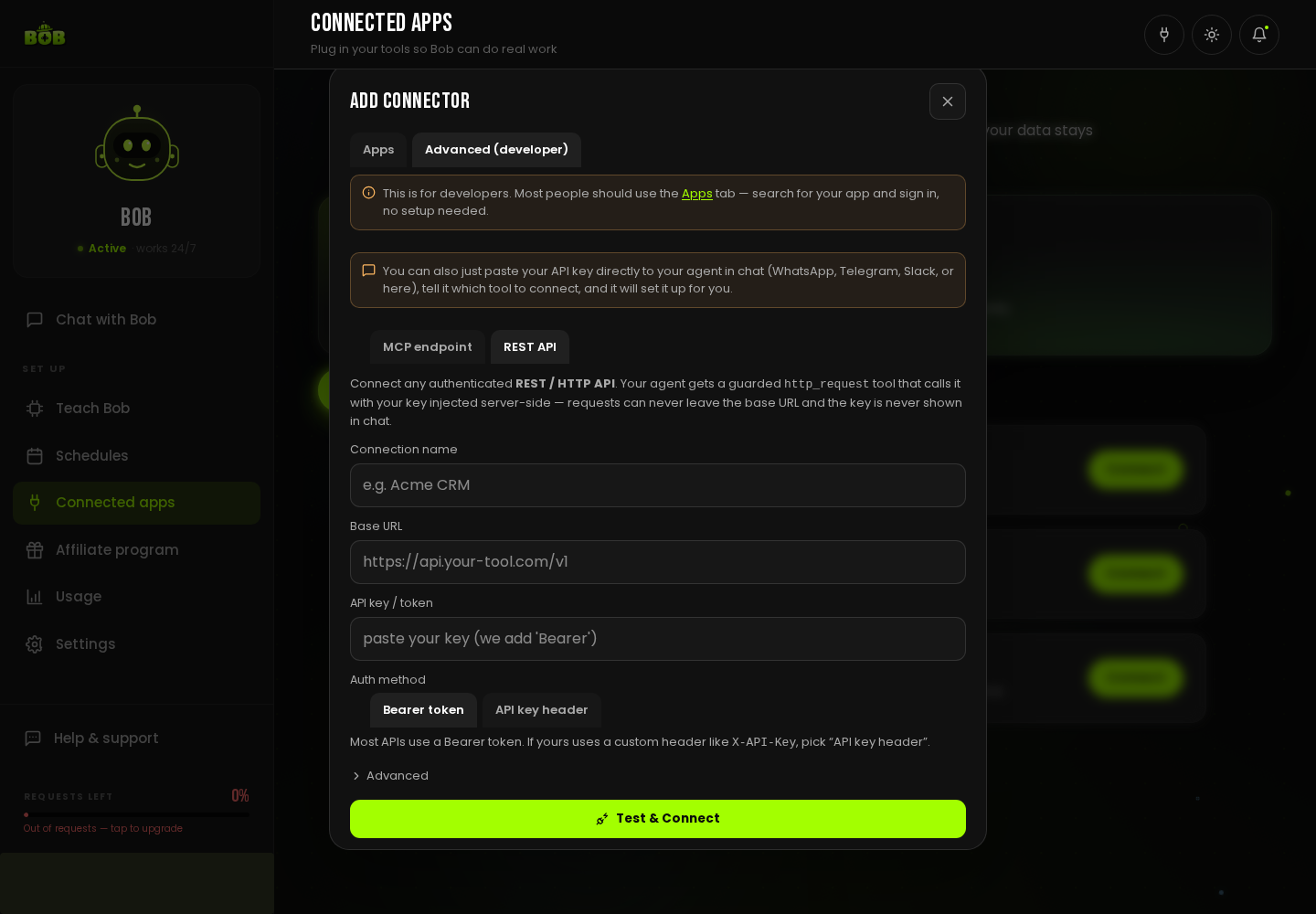
Your agent gets a guarded http_request tool that calls your API with the key injected server-side. Requests can never leave the base URL you set, and the key is never shown in chat.
Connecting through MCP
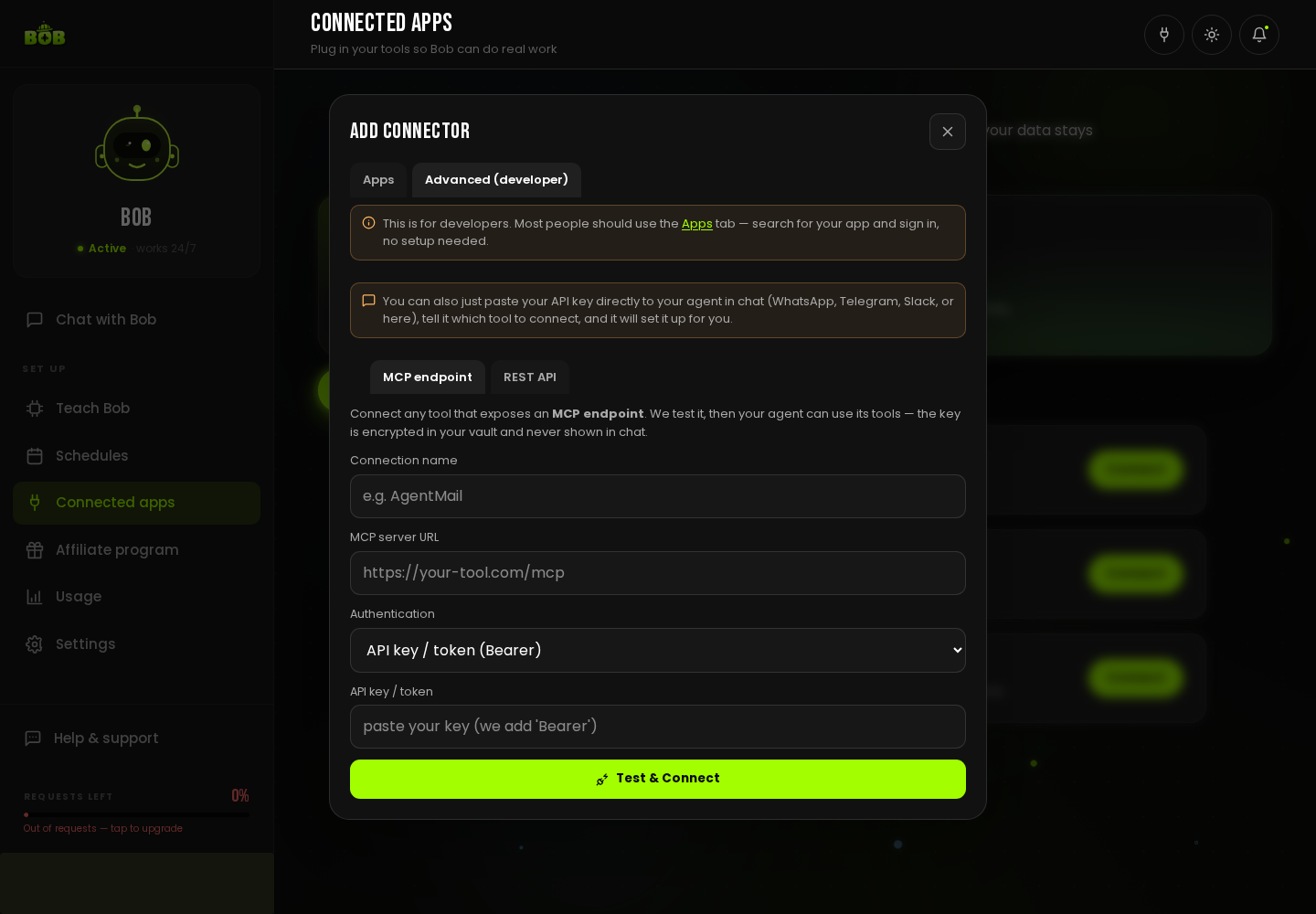
Section titled “Connecting through MCP”If your tool exposes an MCP endpoint (Model Context Protocol), use Advanced (developer) → MCP endpoint instead: give it a name, the MCP server URL, and an API key or token if it requires one, then Test & Connect. This is the richest option, since BOB gets the tool’s full, well-described set of actions in one step.
Can I just tell BOB to connect something?
Section titled “Can I just tell BOB to connect something?”Yes. You can paste your API key directly to BOB in chat, on WhatsApp, Telegram, Slack, or the dashboard, tell it which tool to connect, and it will set it up for you.
Keep access safe
Section titled “Keep access safe”Give BOB access only to what a job needs. Every connection is a permission you granted and can revoke at any time from Connected apps, disconnecting stops BOB acting in that tool immediately.